Interval & flow timer for iPhone

Intervals or flow.
In any color.

A timer for the things you do in chunks — and the things you do until you're done. Huge numbers. Beeps, not voices. 168 palettes. $3.99 once.

$3.99 once. No subscription. No ads.

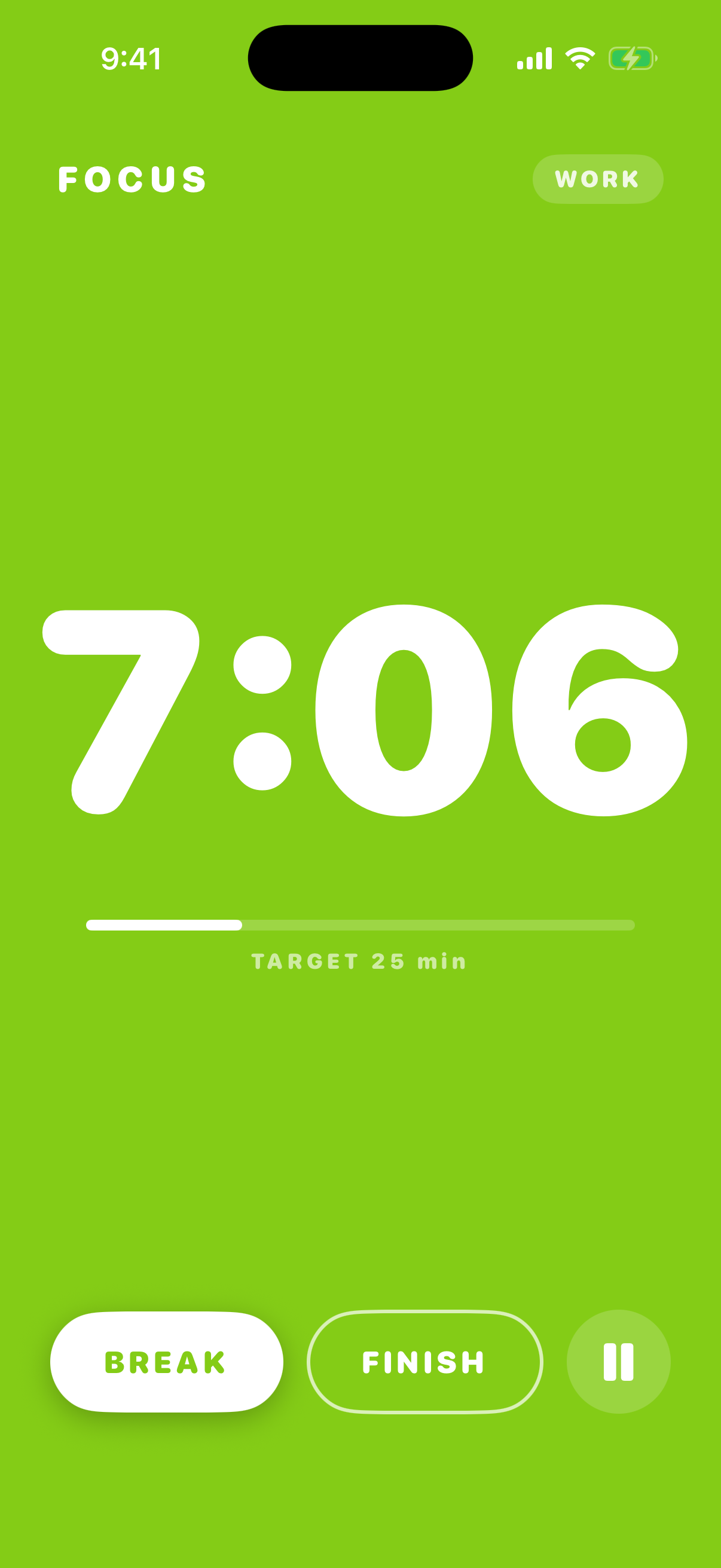
Pulse running a flow session, counting up in the Coral palette
Flow · count up
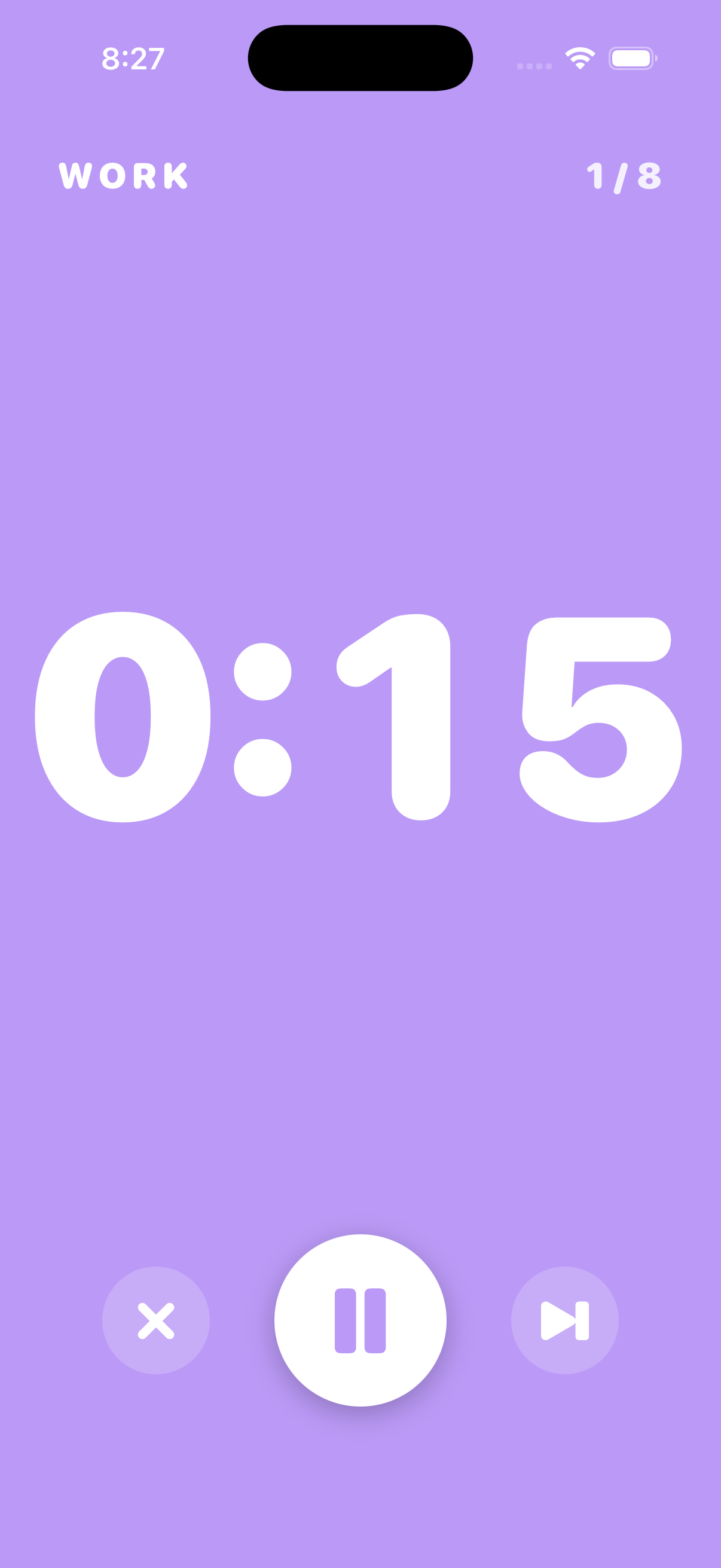
Pulse running an interval round, counting down in the Tokyo Night palette
Intervals · count down

The problem

Every other timer talks too much.

Coach chatter. Workout encouragement. Audio overlays you didn't ask for.

And the rigid ones are just as bad. A fixed 25 minutes ends while you're finally deep in it, or drags on for ten minutes after you're done.

Pulse is just a timer. Two beeps, your choice of palette, and the biggest numbers on the App Store. It counts down when the work has a shape, and counts up when it doesn't.

What you get

Everything you actually need. Nothing you don't.

A Pulse flow session counting up, with the earned break shown underneath
Focus, counting up
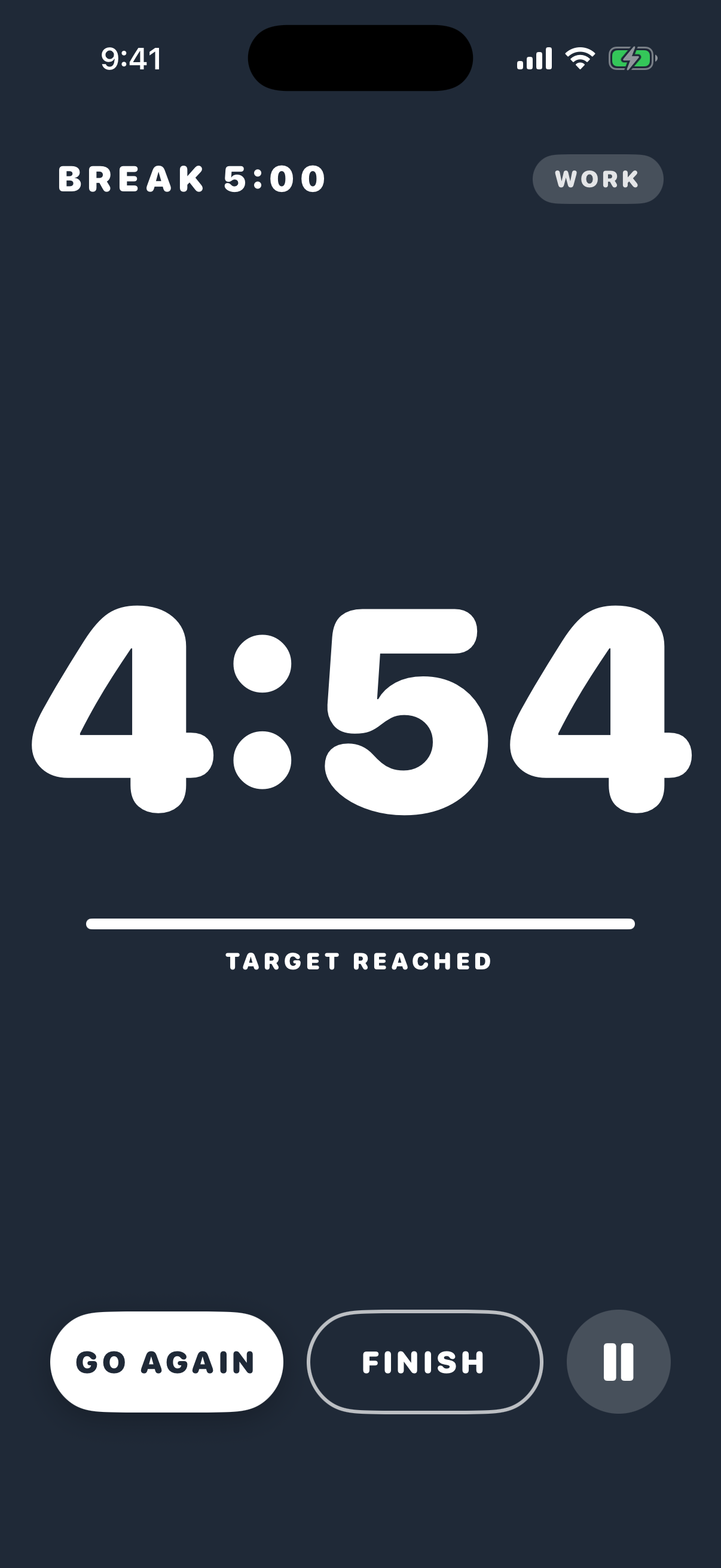
A Pulse flow break counting down in the rest color
The break you earned

New in 1.3 Flow mode

Focus until you're done. The break is math, not a guess.

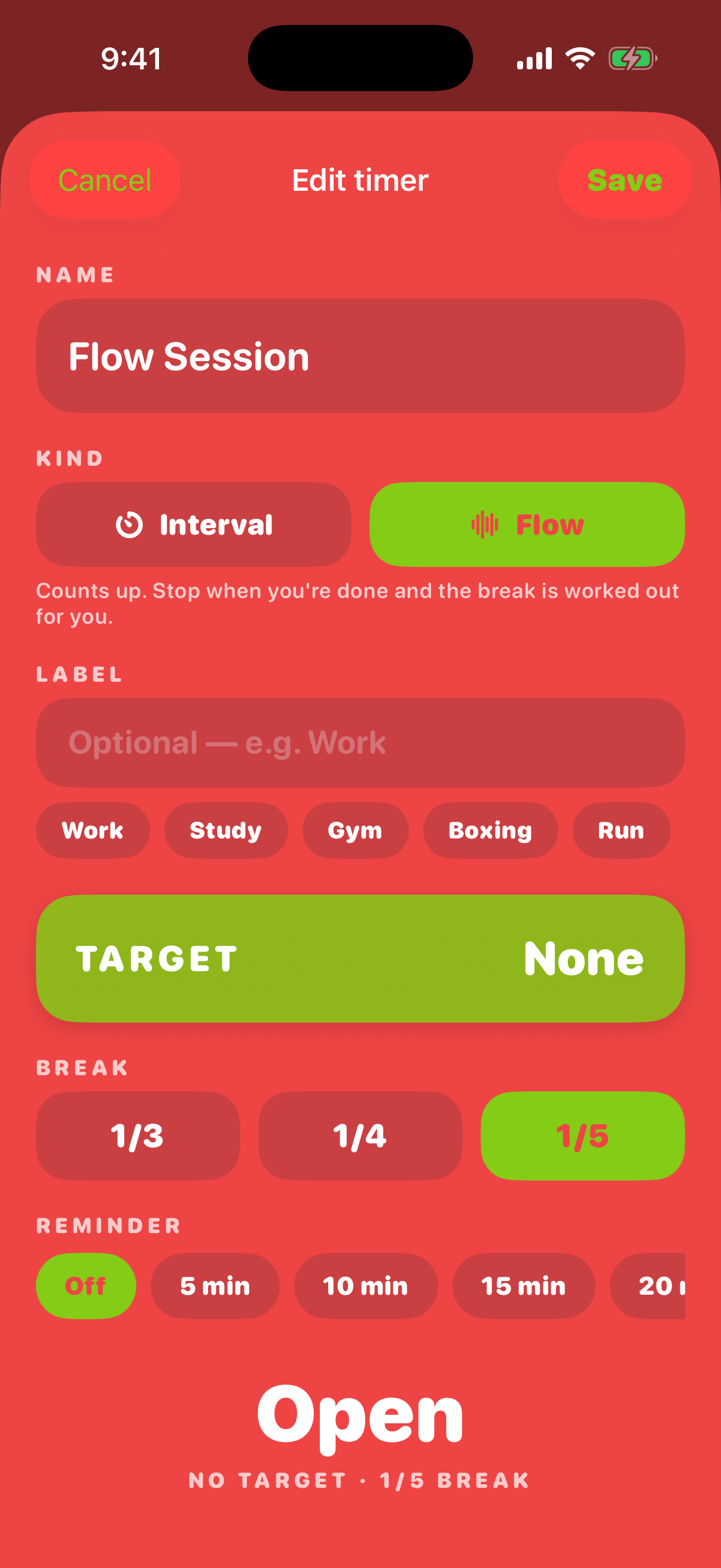
Start a flow session and Pulse counts up. Work as long as it's working, then tap Break — Pulse divides your focus time by 3, 4, or 5 (5 by default) and counts the break down for you. When it's over: Go again, or Finish.

  • Open-ended count-up with a prep countdown if you want one
  • Optional target — Pulse chimes when you reach it and keeps counting, never cuts you off
  • Optional gentle reminders every 5 to 30 minutes, so an hour can't vanish
  • Same full-screen color block, same 200pt numerals as an interval round
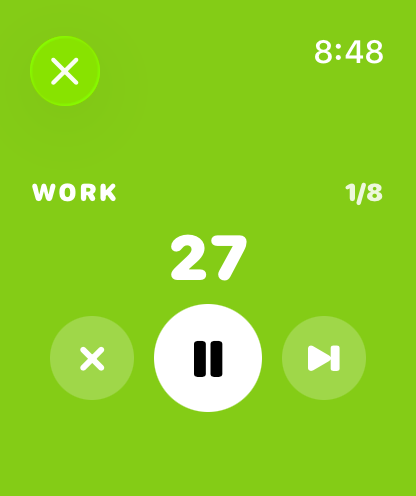
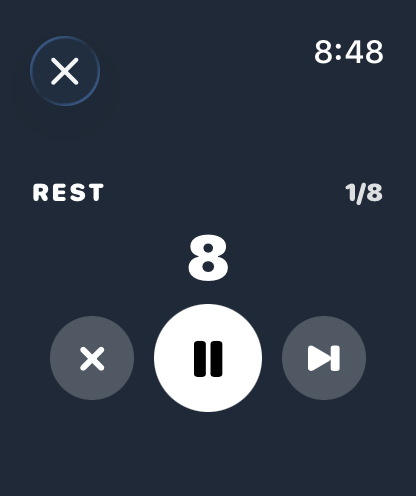
Pulse on Apple Watch showing a work interval
Pulse on Apple Watch showing a rest interval
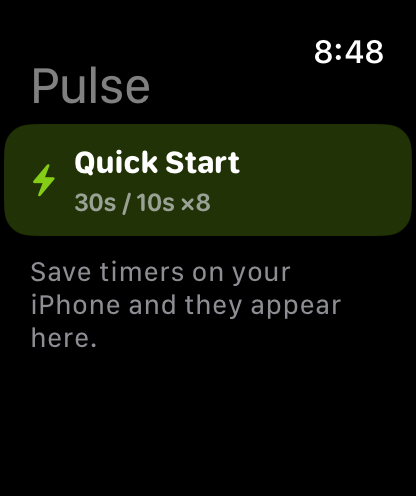
Pulse on Apple Watch listing saved timers

Lock screen & wrist

Lock the phone. The numbers keep going.

A Live Activity puts the timer on your Lock Screen and in the Dynamic Island — counting down through intervals, counting up through a flow session. Interval timers also run on Apple Watch, with a haptic tap at every transition.

  • Lock Screen + Dynamic Island, including the flow count-up
  • Apple Watch app for interval timers — start a saved timer from your wrist
  • Flow timers are phone-only in 1.3 — the Watch list simply doesn't show them
  • Your music keeps playing the whole time: mixed, never ducked
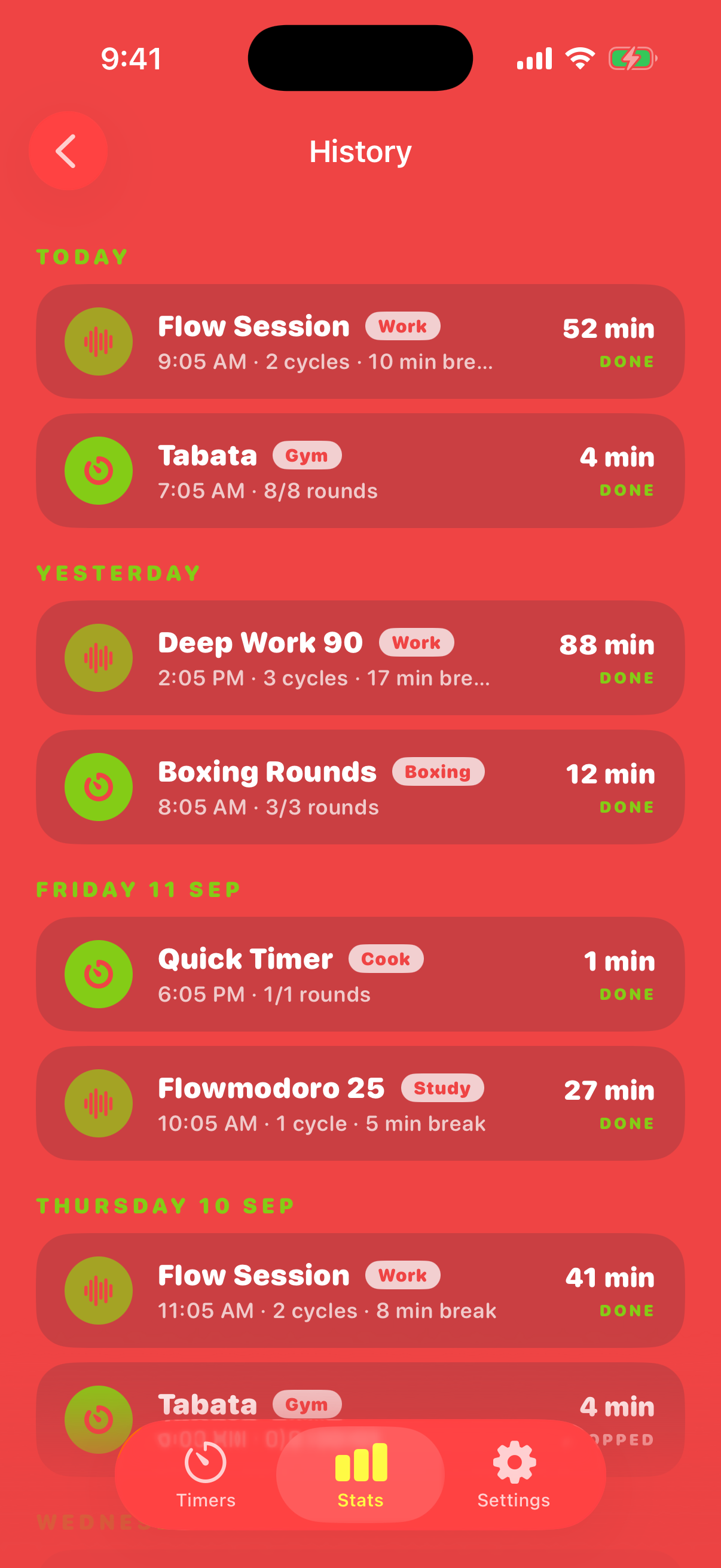
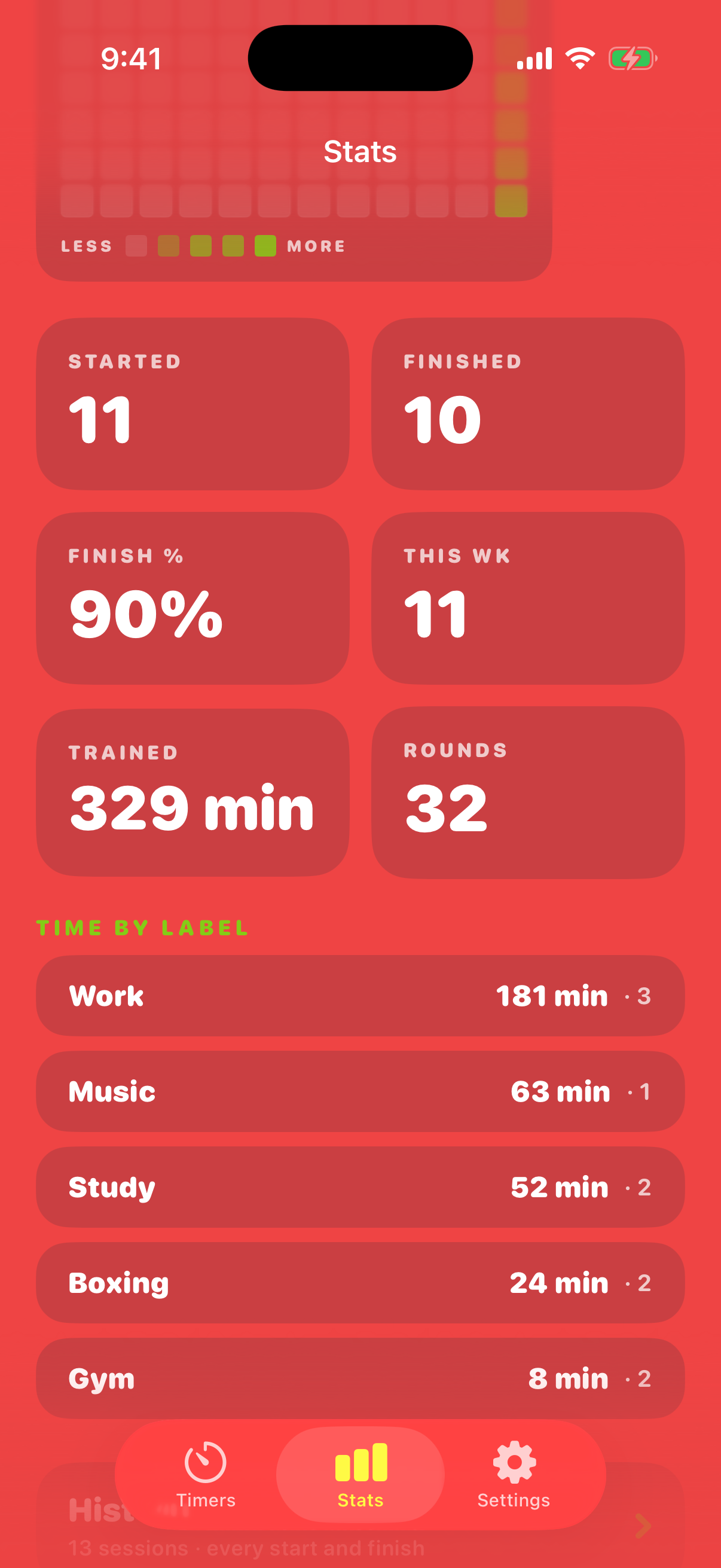
The Pulse stats tab showing a streak and a list of past sessions
History & streak
Pulse label chips for tagging a timer as Work, Study, Gym or Boxing
Labels

New in 1.3 History, labels, streak

Every session, kept on your phone.

Give a timer a label — Work, Study, Gym, Boxing, whatever you type — and Pulse remembers it with the session. The Stats tab now lists every session grouped by day, each one tappable for the full detail, on top of the stat cards and the weekly heatmap you already had.

  • Streak: consecutive days with a completed session
  • Per-session detail — timer, label, rounds, focus and break time, outcome
  • Time-by-label so you can see where the week actually went
  • CSV export with Pro. It's your data, on your device, exportable
Editing a Pulse flow timer with break ratio and target controls
Build a flow timer
Start Flow
Pulse
Control Center · iOS 18

New in 1.3 Shortcuts & Control Center

One tap from anywhere into a running session.

Two new Shortcuts actions — “Start a flow” and “Start my <timer>” — plus a Start Flow button you can drop into Control Center or onto your Lock Screen on iOS 18. No menus, no setup screen.

  • “Start a flow in Pulse” — say it, tap it, or automate it
  • “Start my Boxing Rounds in Pulse” — any saved timer, by name
  • Control Center / Lock Screen control: Start Flow
  • Saved timers: three free, unlimited with Pro
Focus
24:10
Break earned 4:50
BreakFinish
168 palettes

Palette is the point

168 palettes. Pick one. The whole app flips.

Searchable by name, color, and mood — Coral, Tokyo Night, Sunset, Brutalist, Forest, Pastel, Cyber, Neon, Calm and 159 more. Eight are free; one payment unlocks all 168. Change it mid-session if you feel like it.

Coral
Nine of 168 · tap to flip
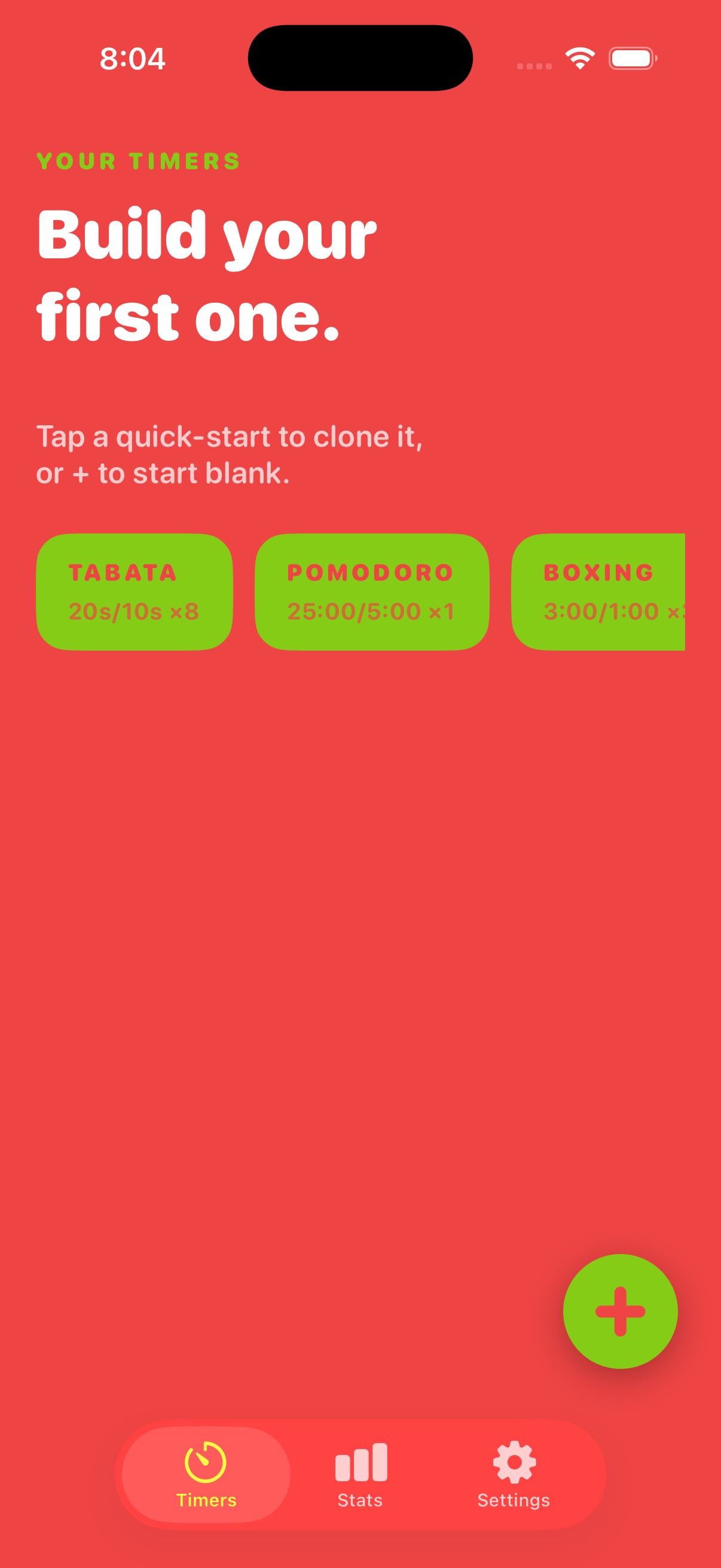
The Pulse timer list in the Coral palette
Coral
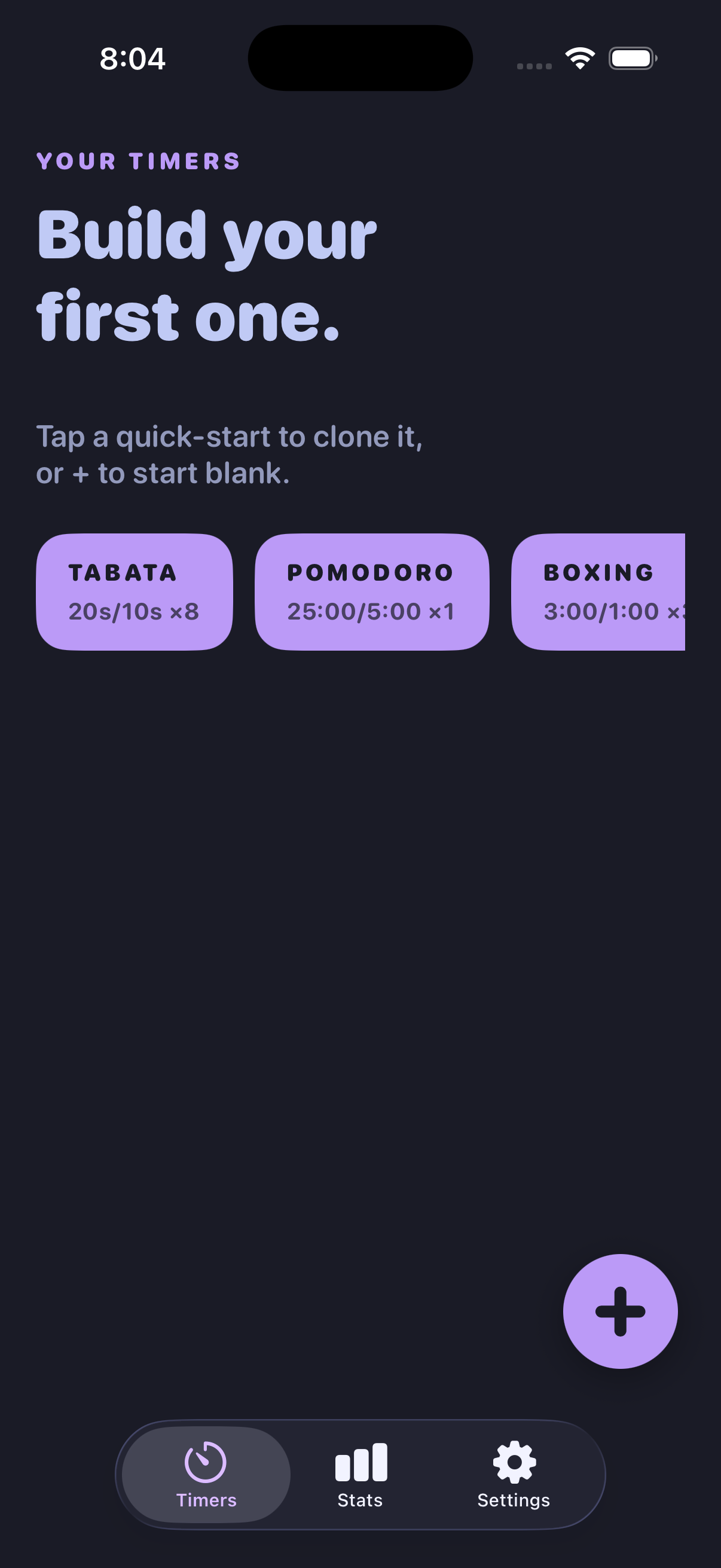
The Pulse timer list in the Tokyo Night palette
Tokyo Night
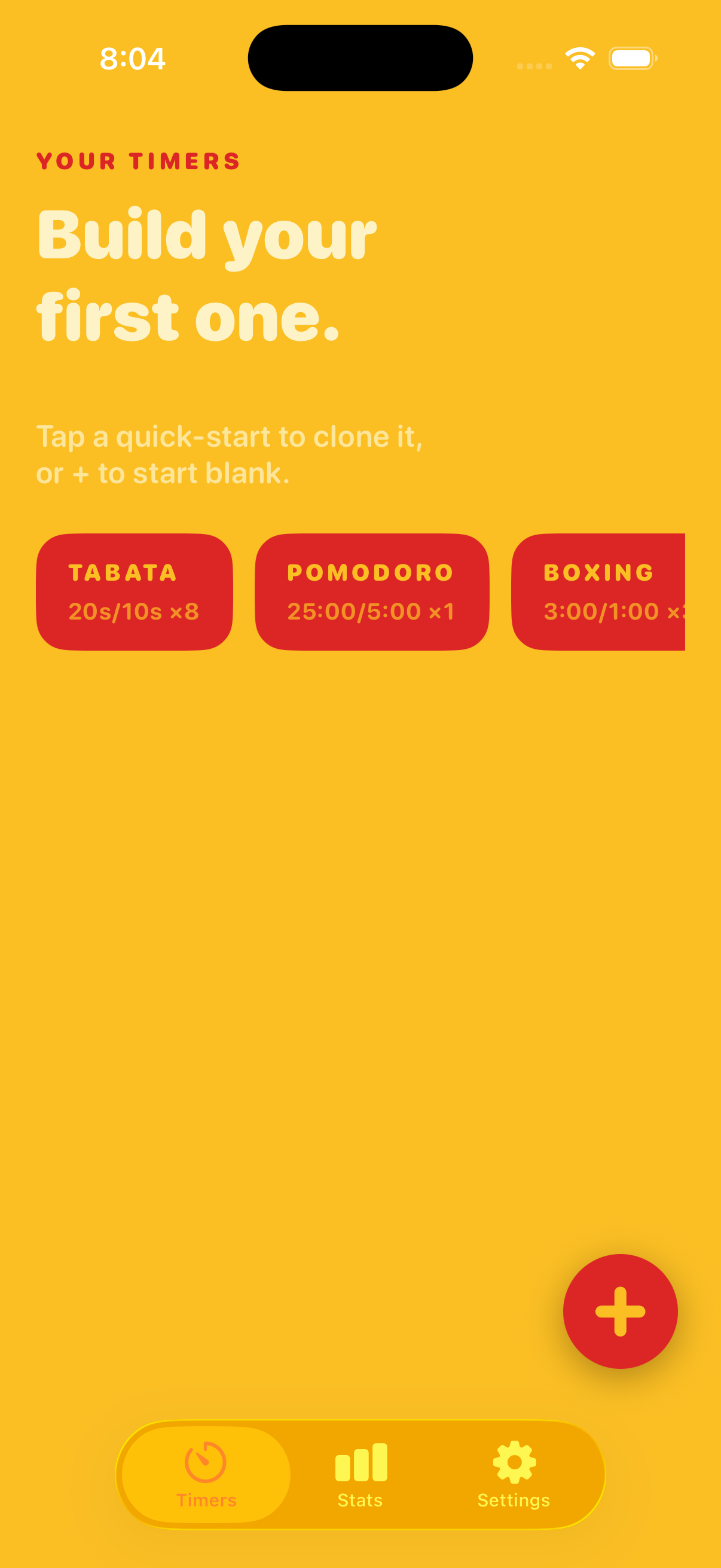
The Pulse timer list in the Sunset palette
Sunset

Does this sound familiar?

Four reasons people give up on timers.

01

The bell rings right when it finally clicked.

Fixed intervals don't know how you're doing. Flow mode counts up and lets you decide when the focus block is over.

02

You look up and two hours are gone.

Or twenty minutes were. Optional reminders every 5 to 30 minutes keep you oriented without stopping you, and history shows you what actually happened.

03

The timer nags. You wanted a clock, not a coach.

Pulse has two configurable beeps and haptics. Nothing talks. Nothing congratulates you. Your music never gets ducked.

04

Every timer on your phone looks like every other timer.

168 palettes, a full-screen color block, and numerals you can read from across the room or the mat.

Free, no download

Run a Pulse timer in your browser right now.

Every one is real and working — big color-coded phases, beeps, wake-lock so the screen stays on, keyboard shortcuts. Nothing to install, nothing to sign up for. They're the same ideas as the app, minus your pocket.

Pricing

Two prices. Both one payment.

Same app, same features, same permanent unlock. The supporter price just tips the developer. Pick either one at checkout.

Standard

$3.99

One payment. Everything unlocked.

  • All 168 palettes
  • Unlimited saved timers
  • Unlimited history + CSV export
  • Flow mode, labels, Shortcuts and the Control Center button are free for everyone
Download on theApp Store

Supporter — tip the dev

$9.99

One payment. Identical app.

  • Everything in Standard
  • Nothing extra is gated behind it
  • Built and supported by one developer
Download on theApp Store

No subscription. No auto-renew. No recurring billing. No ads.

Count down. Count up.
Never get talked at.

One payment. No subscription, no ads, no account, no analytics. Just the timer, in a color you picked.

$3.99 once. No subscription. No ads.

Honest answers

What you might be wondering.

What is flow mode?

A flow session counts up instead of down. You focus for as long as it's working, then tap Break and Pulse gives you a break proportional to the focus you just did — your focus time divided by 3, 4, or 5, with 5 as the default. Twenty-five minutes of focus earns a five-minute break. The break is clamped to a minimum of one minute and a maximum of thirty.

You can set an optional target; Pulse chimes once when you reach it and keeps counting rather than cutting you off. You can also ask for a gentle reminder every 5, 10, 15, 20, or 30 minutes. When the break ends, you choose: Go again, or Finish.

Is it really one payment?

Yes. Pro is $3.99 on the App Store — one payment, permanent. There's an optional $9.99 supporter price if you want to tip; it unlocks exactly the same app. No subscription, no auto-renew, no ads, no upsells.

How is Pulse different from Flowtime?

Flowtime is a focus and time tracker for iPhone and Android with projects, app blocking, and detailed reports, priced as a subscription with a lifetime option. Pulse is an interval timer that also does flow sessions: color-first, huge numerals, Apple Watch and Live Activity, on-device only, $3.99 once.

If you want project tracking, app blocking, or Android, Flowtime is the better fit. If you want one timer that handles Tabata rounds and open-ended focus in a color you chose, and you don't want another subscription, that's Pulse. Full side-by-side comparison →

Does it work on Apple Watch?

Interval timers do. Pulse ships a real Apple Watch app — start a saved interval timer from your wrist and get a haptic tap at every transition.

Flow timers are phone-only in 1.3. The Watch list just doesn't show them. We'd rather say that plainly than ship a half-working wrist experience.

Does it talk to me?

No. Pulse makes two configurable beeps — a countdown tick and a transition beep — plus optional haptics. There is no narration, no coach, and nothing talking over your music. Your music keeps playing underneath: Pulse mixes on top and never ducks it.

Can I change the colors?

That's the whole point. 168 palettes ship with the app, searchable by name, color, and mood. Eight are free; all 168 unlock with the one-time Pro purchase. Pick one and the entire app flips instantly — running screen, lists, Live Activity, Watch.

Do you collect my data?

No. Pulse runs entirely on-device. No analytics, no tracking, no ad SDKs, and no account to create. Your timers, labels, and session history stay on your phone — which is also why CSV export exists, so you can get them out yourself.

What can I use it for?

Intervals: Tabata and HIIT circuits, EMOM, boxing and MMA rounds, stretching, planks, breathwork, cooking, music practice. Flow: writing, coding, studying, editing, practicing — anything where you don't know in advance how long the good part lasts.

Free browser versions of most of these live at /timers/ if you want to try the idea before buying anything.